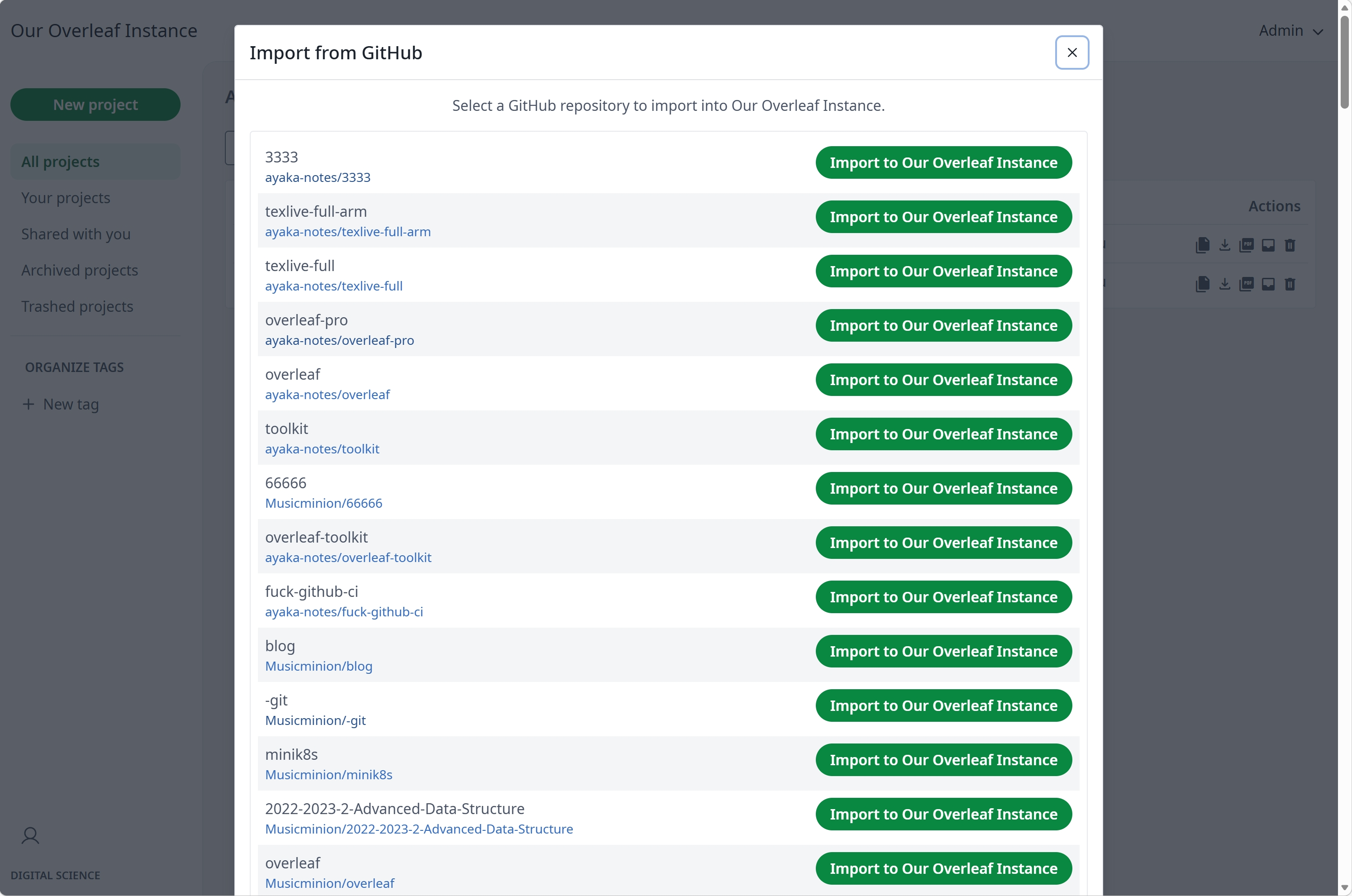
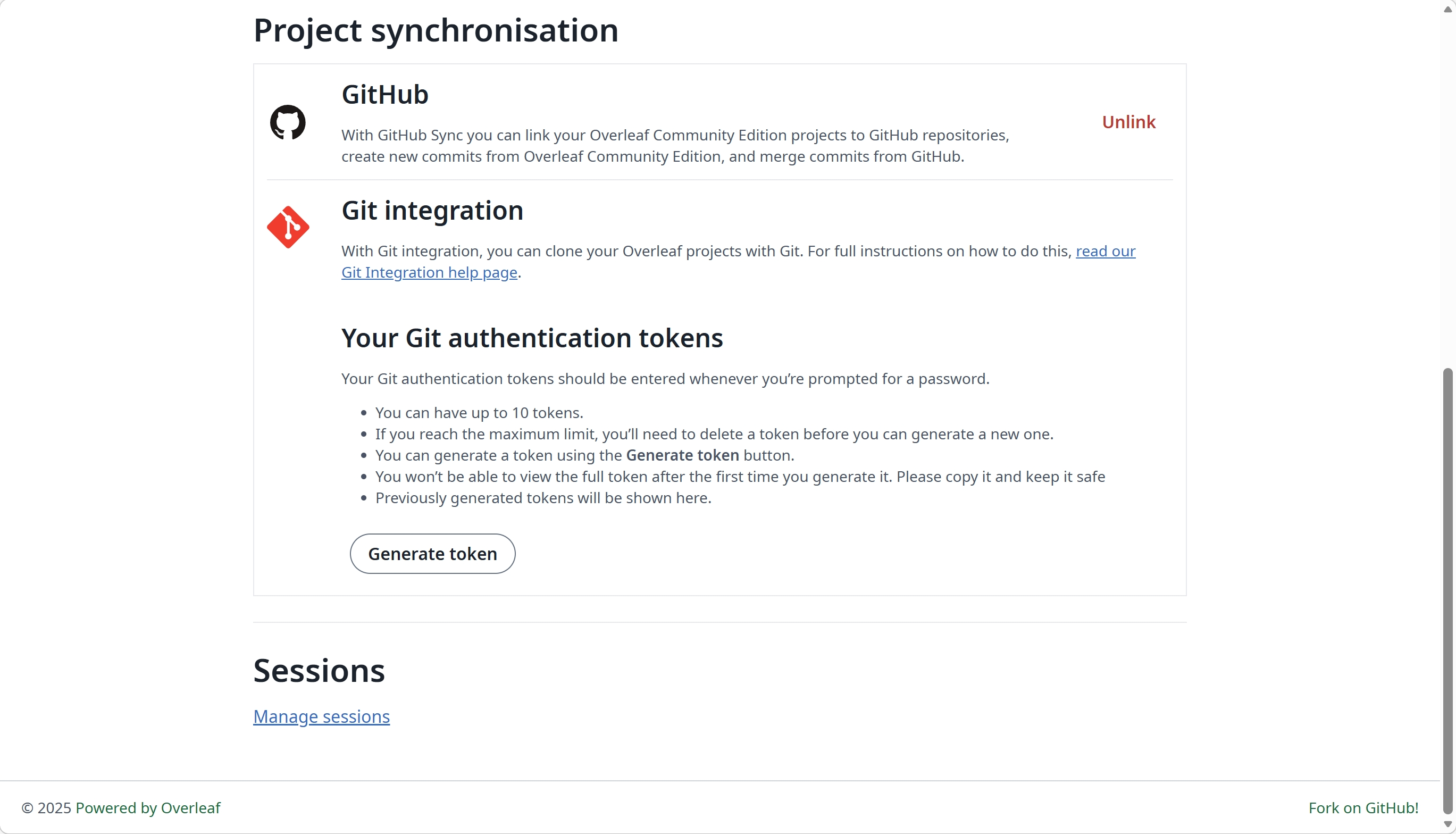
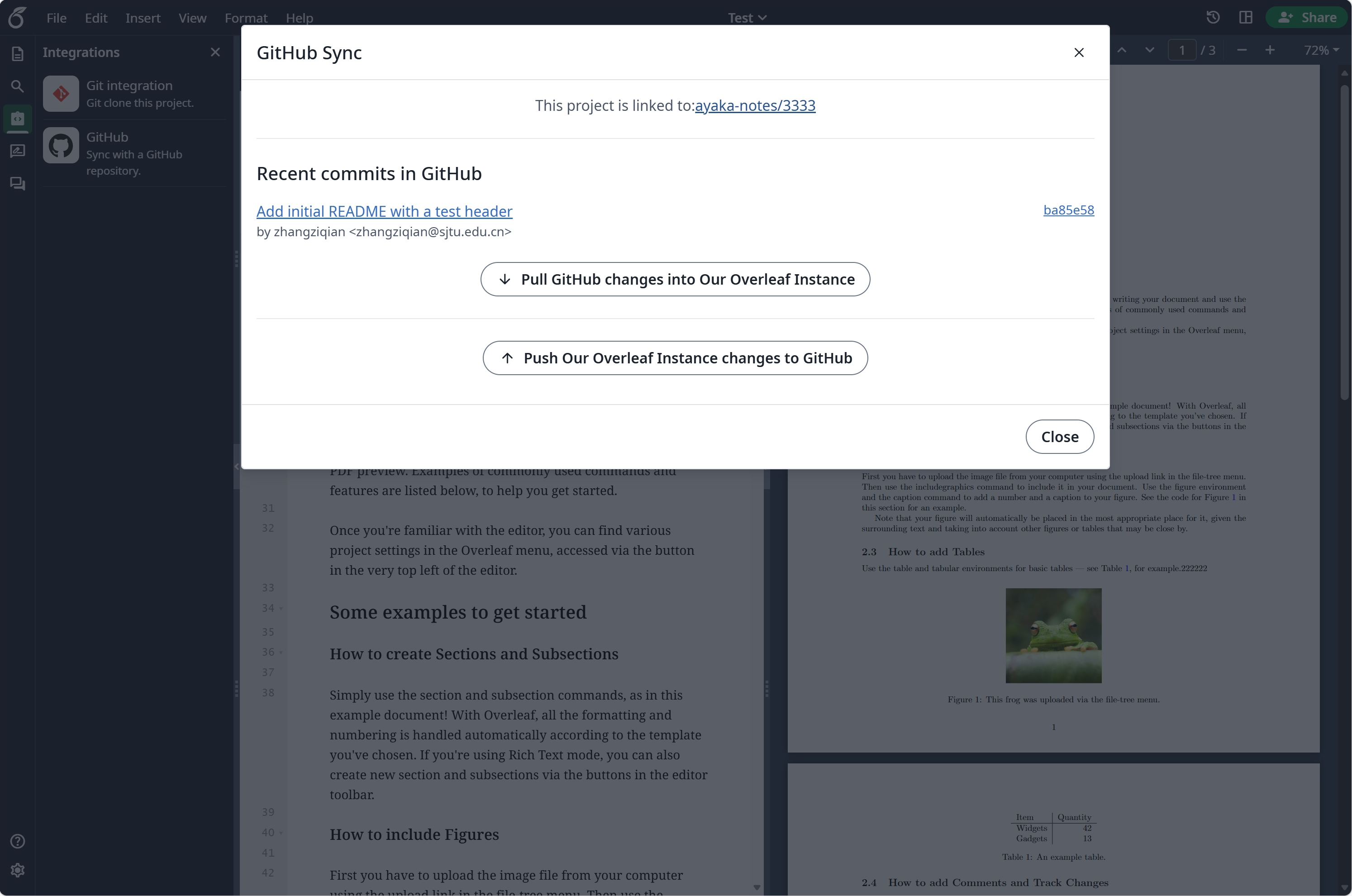
> For the complete documentation index, see [llms.txt](https://ayakaleaf-pro.ayaka.space/llms.txt). Markdown versions of documentation pages are available by appending `.md` to page URLs; this page is available as [Markdown](https://ayakaleaf-pro.ayaka.space/on-premises/configuration/overleaf-toolkit/github-synchronisation.md).
# GitHub Synchronisation
{% hint style="info" %}
This feature is developed by [ayaka-notes/ayakaleaf-pro](https://github.com/ayaka-notes/ayakaleaf-pro), modified by [yu-i-i/overleaf-cep](https://github.com/yu-i-i/overleaf-cep). It is introduced from v6.2.0 and later. It's still in beta status. We need your feedback if you have any problem.
{% endhint %}
{% columns %}
{% column %}
{% endcolumn %}
{% column %}
{% endcolumn %}
{% endcolumns %}
### Setup GitHub Synchronisation
{% hint style="warning" %}
You need to enable [git-bridge](/on-premises/configuration/overleaf-toolkit/git-integration.md) first before using GitHub Synchronisation.
{% code title="config/overleaf.rc" %}
```dotenv
GIT_BRIDGE_ENABLED=true
```
{% endcode %}
{% endhint %}
Visit [developers settings](https://github.com/settings/developers) to create your GitHub OAuth application, and copy your `CLIENT_ID` and `SECRET`.
**Notes**: your OAuth callback URL is: `${OVERLEAF_SITE_URL}/user/github-sync/oauth2/callback`.
Then, add the following settings to your overleaf env var files.
{% code title="config/variables.env" overflow="wrap" %}
```dotenv
# used to encrypt the user's GitHub access token.
# How to generate: `openssl rand -hex 32`
GITHUB_TOKEN_CIPHER_PASSWORD=0123456789ABCDEFG # changed to yours
# Github Sync Settings
GITHUB_SYNC_ENABLED=true
GITHUB_SYNC_CLIENT_ID=
GITHUB_SYNC_CLIENT_SECRET=
# OAuth callback is: ${OVERLEAF_SITE_URL}/user/github-sync/oauth2/callback
# (Optional) GITHUB_SYNC_PROXY_URL=http://10.0.0.1:10808
```
{% endcode %}
{% hint style="warning" %}
Before configuring the GitHub OAuth callback URL, make sure `OVERLEAF_SITE_URL` is set correctly.
{% endhint %}
If you are in a region with restricted network access, you may need to configure a proxy to access GitHub. Set the following environment variable: `GITHUB_SYNC_PROXY_URL=http://10.0.0.1:10808`. Please make sure your use of a proxy complies with local laws and regulations.
{% hint style="warning" %}
`GITHUB_SYNC_PROXY_URL` must be a standard HTTP/HTTPS forward proxy (e.g. the HTTP port of Clash). GitHub download mirrors such as `gh-proxy.org` are not supported.
{% endhint %}
{% hint style="warning" %}
Do not use `127.0.0.1` for proxy host. If the proxy is running on host server, use the server’s LAN IP (like `192.168.1.xx`) address and make sure the proxy is configured to accept connections from devices on the local network.
{% endhint %}
### GitHub Enterprise
{% hint style="info" %}
GitHub Enterprise support is introduced from v6.3.1 and later. Earlier versions only connect to `github.com`, and the variables below have no effect.
{% endhint %}
By default GitHub Synchronisation connects to `github.com`. To use GitHub Enterprise Server (self-hosted) or GitHub Enterprise Cloud with data residency (`GHE.com`), set `GITHUB_SYNC_URL` to the web address of your instance, the one you open repositories with in the browser.
{% code title="config/variables.env" overflow="wrap" %}
```dotenv
# GitHub Enterprise Server
GITHUB_SYNC_URL=https://github.example.com
# or GitHub Enterprise Cloud with data residency
# GITHUB_SYNC_URL=https://octocorp.ghe.com
```
{% endcode %}
The REST and GraphQL API endpoints are derived from `GITHUB_SYNC_URL` the same way as the GitHub CLI does:
| `GITHUB_SYNC_URL` | REST API | GraphQL API |
| ------------------------------ | ------------------------------- | --------------------------------------- |
| `https://github.com` (default) | `https://api.github.com` | `https://api.github.com/graphql` |
| `https://SUBDOMAIN.ghe.com` | `https://api.SUBDOMAIN.ghe.com` | `https://api.SUBDOMAIN.ghe.com/graphql` |
| `https://HOST` (any other) | `https://HOST/api/v3` | `https://HOST/api/graphql` |
Only set the API endpoints when your instance serves them somewhere else, for example behind an API gateway:
| Variable | Default |
| ------------------------- | --------------------------------------------------------------------------------------------------------------------------------------------------- |
| `GITHUB_SYNC_URL` | `https://github.com` |
| `GITHUB_SYNC_API_URL` | Derived from `GITHUB_SYNC_URL`, see the table above |
| `GITHUB_SYNC_GRAPHQL_URL` | Derived from `GITHUB_SYNC_API_URL` when it is set (`/api/v3` becomes `/api/graphql`, otherwise `/graphql` is appended), else from `GITHUB_SYNC_URL` |
{% hint style="warning" %}
* Create the OAuth application on your enterprise instance (*Settings → Developer settings → OAuth Apps*), an application from `github.com` does not work there. The callback URL is the same: `${OVERLEAF_SITE_URL}/user/github-sync/oauth2/callback`.
* `GITHUB_SYNC_URL` is the web address only. Do not set it to an API address such as `https://api.github.com` or `https://HOST/api/v3`, and do not add an organisation path.
* All three addresses must point to the same GitHub instance.
{% endhint %}
{% hint style="info" %}
If your instance uses a certificate from a private CA, mount the CA certificate into the container and point `NODE_EXTRA_CA_CERTS` at it, e.g. `NODE_EXTRA_CA_CERTS=/var/lib/overleaf/certs/github-ca.pem`.
{% endhint %}
{% hint style="danger" %}
Linked accounts and projects belong to the instance they were linked with. Before switching `GITHUB_SYNC_URL` to another instance, ask users to unlink their GitHub account and projects.
{% endhint %}
### Who can link and sync
Like on Overleaf Cloud, only the project owner can link a project to a GitHub repository. Once it is linked, every collaborator with edit access can sync it.
| Action | Who can do it |
| --------------------------------------------- | -------------------------------------------------- |
| Export a project to a new GitHub repository | The project owner |
| Import a GitHub repository into a new project | Any user, who becomes the owner of the new project |
| Pull, push and merge a linked project | The owner and collaborators with edit access |
| Unlink a project from its repository | The project owner |
* Overleaf talks to GitHub with the GitHub account of the user who syncs, so every collaborator who syncs links their own GitHub account, and needs to be allowed to push to the default branch of the repository.
* View-only collaborators cannot use GitHub Synchronisation for the project.
### Q\&A
Can I force push to the default branch?
**Answer:** We do not recommend it. Overleaf detects a force push, warns about it and takes over the rewritten branch, merging the changes made in Overleaf since the last sync. To avoid surprises, protect the default branch against force pushes in the repository settings.
Can I rename the default branch of a linked project?
**Answer:** Please do not. Overleaf keeps syncing with the branch the project was linked to. To sync with another branch, unlink the project, then import the repository into a new project, which uses the current default branch.
---
# Agent Instructions
This documentation is published with GitBook. GitBook is the documentation platform designed so that both humans and AI agents can read, navigate, and reason over technical content effectively. Learn more at gitbook.com.
## Querying This Documentation
If you need additional information that is not directly available in this page, you can query the documentation by asking a question.
Perform an HTTP GET request on the following URL with the `ask` and `goal` query parameters:
```
GET https://ayakaleaf-pro.ayaka.space/on-premises/configuration/overleaf-toolkit/github-synchronisation.md?ask=&goal=
```
`ask` is the immediate question: it should be specific, self-contained, and written in natural language.
`goal` is what the user is ultimately trying to achieve, the reason they need the answer. Sharing it helps GitBook give you a better, more relevant answer. A goal is most helpful when it describes the outcome the user wants rather than restating the question. For example, with `ask=how do I create an API token`, a goal like `automate deployments from our CI pipeline` lets GitBook tailor the answer to that use case.
The response will contain a direct answer to the question and relevant excerpts and sources from the documentation.
Use this mechanism when the answer is not explicitly present in the current page, you need clarification or additional context, or you want to retrieve related documentation sections.